Home / Technologies / Servers on Microsoft Azure
Microsoft Azure: servers, storage and apps, sized to your budget
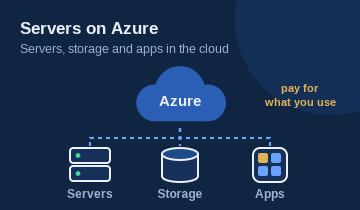
Microsoft Azure is a cloud platform where your servers, storage and applications can run. We size it to what you need, watch the cost, and connect it to your office when you still have servers there.
What we do for you
- Servers, storage and apps placed in Microsoft Azure.
- Sizing that fits your budget, and cost watched over time.
- Hybrid setups that connect Microsoft Azure with servers in your office.
- Automatic backup of your servers, with recovery tested every quarter.
Why it helps
Pay for what you need
Resources are sized to your work, not to a guess.
No server room to look after
Less hardware to buy, house and repair.
Costs stay visible
We watch the cost so there are no surprise bills.
When a company needs Microsoft Azure
Microsoft Azure is Microsoft's cloud platform for servers, storage and applications. A small company usually needs it for one of three reasons: it still runs an accounting or industry application on a server in the office, it wants a secure place for backups, or it needs a server that must stay available when the office power or internet is down.
What we do
- Move or build servers. A virtual server in Microsoft Azure replaces a box under someone's desk, sized to the real workload.
- Connect to your office. A secure private link, so staff reach the server as if it were next door.
- Back up and recover. Microsoft Azure Backup protects servers and files, and recovery tools can restart a server elsewhere if the main one fails.
- Control the bill. Budgets, alerts, schedules that switch servers off out of hours, and a review of what is still running.
- Secure access. Sign-in with the same second step your staff already use.
The cost trap, and how we avoid it
Cloud servers are charged for the time they run and the resources they use. The usual surprise is a server nobody uses that has been running for months, or one that is larger than needed. We size servers by measuring real use, set a monthly budget with warning alerts, and review the bill with you each month so there are no surprises.
Should you move at all?
Not every server belongs in the cloud. A small, old server that works well may not need to move. We say so after the free cloud health check, with the numbers. Related pages: backup and recovery and migration.
How we work
Check
A free review of your setup, risks and costs.
Agree
We sign the service covenant: scope, response times, price.
Onboard
We migrate, secure and document everything.
Run
Tickets, monitoring and a monthly report keep it healthy.
How we charge
Your price depends on how many people use IT at your company: a fixed monthly price in Egyptian pounds, with no surprise bills. If you only need occasional help, you can pay per ticket. Migrations and projects are quoted at a fixed price after your free cloud health check.
See the price calculatorQuestions
Do we have to move everything?
No. A hybrid setup keeps some systems in your office and some in Microsoft Azure.
How do you control the cost?
We size each resource to your needs and watch the cost over time.
Is it backed up?
Yes. We add automatic backup and test recovery every quarter.
Book your free cloud health check
We review your setup and send a short report with a clear plan and price. No obligation.
Request my health checkMessage us on WhatsApp