Home / Technologies / Teams
Teams: chat, meetings and channels in one app
Teams is where your people talk, meet and work together. Set up well, it replaces scattered messages, calls and email threads with one clear place for each team.
What we do for you
- Channels organised around your teams and projects.
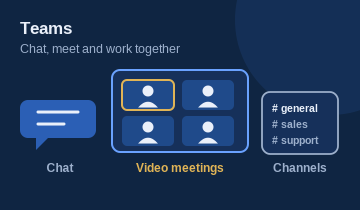
- Video meetings and chat with colleagues and clients.
- Clear rules on who can create teams, invite guests and share files.
- Setup and training so your people use it from day one.
Why it helps
Less email
Conversations stay in the team channel, not in long email threads.
Meet from anywhere
Join a meeting from a laptop, browser or phone.
Clear rules
Settings keep it tidy and under your control.
One place for conversations, meetings and files
Microsoft Teams brings chat, voice and video meetings, and shared files into one application. Instead of long email chains, a project has a channel where messages, decisions and documents stay together, and anyone who joins later can read what happened.
What we set up
- A team structure that matches your company. One team per department or project, with clear names.
- Channels. Topics inside a team, such as announcements, orders or a client.
- Meetings. Scheduling, joining from a link, screen sharing and recording where you need it.
- Guest access. Invite an outside client or consultant into one channel, without giving them your whole system.
- Phone and tablet apps. So messages and calls reach people away from their desks.
Rules that prevent clutter
A new team can be created by anyone in the default setup, and after a few months nobody knows which is active. We agree who may create teams, how to name them, and when to archive one that is no longer used.
Working with the rest of Microsoft 365
Files in a Teams channel are stored in SharePoint behind the scenes, so the same permissions and backups apply. Meetings appear in the Outlook calendar. If you want office phone calls in the same app, see Microsoft Teams Phone System. For the full picture, read Teams, SharePoint and calling.
How we work
Check
A free review of your setup, risks and costs.
Agree
We sign the service covenant: scope, response times, price.
Onboard
We migrate, secure and document everything.
Run
Tickets, monitoring and a monthly report keep it healthy.
How we charge
Your price depends on how many people use IT at your company: a fixed monthly price in Egyptian pounds, with no surprise bills. If you only need occasional help, you can pay per ticket. Migrations and projects are quoted at a fixed price after your free cloud health check.
See the price calculatorQuestions
Can we meet with clients outside the company?
Yes. External people can join meetings, and you decide what guests can do.
Can you train our team?
Yes. We can run a short training session, remotely or on site.
Does Teams include phone calls?
It can, through Microsoft Teams Phone System, which we also set up.
Book your free cloud health check
We review your setup and send a short report with a clear plan and price. No obligation.
Request my health checkMessage us on WhatsApp