Home / Technologies / Microsoft Exchange Online
Microsoft Exchange Online: professional email for your company
Microsoft Exchange Online is the business email service that runs in the cloud. Your people get email, calendars and contacts on their computer, browser and phone, all under your company's own domain.
What we do for you
- Mailboxes for every person, and shared mailboxes for teams such as sales or support.
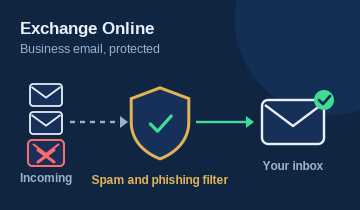
- Spam and phishing filtering, so risky messages stay out of the inbox.
- Moves from Gmail or an old mail server, with no lost mail.
- Sign-in protection and clear rules on who can do what.
Why it helps
Looks professional
Email comes from your own domain, not a free address.
Works anywhere
Your team reads and sends email from any device, in the office or outside it.
Someone looks after it
When something goes wrong, you raise a ticket and an engineer fixes it.
What Microsoft Exchange Online does behind the scenes
Microsoft Exchange Online is the Microsoft service that stores and delivers your company email, calendars and contacts. Outlook, the web browser and the phone mail app are only windows onto it. Because it runs in Microsoft's data centres, you do not maintain a mail server, apply its updates or worry about it failing with a power cut in your office.
Features small companies use most
- Shared mailboxes. A team can answer info@ or support@ together, with every reply tracked to a person.
- Room and equipment calendars. Book a meeting room or a projector without double bookings.
- Calendar sharing. A manager and an assistant see each other's availability.
- Anti-spam and anti-phishing. Filters check each message, and policies can warn staff about suspicious senders.
- Mail flow rules. Add a legal footer, route invoices to accounts, or block certain attachment types.
- Retention and recovery. Deleted items stay recoverable for a set time.
What we configure
We set the domain records so receivers trust your mail, create users and groups, apply security settings including the second sign-in step, and test on each type of device your staff use. We document who can create mailboxes and what to do when someone leaves, so the setup stays tidy as you grow.
Moving from another system
If you already have email elsewhere, we move it so staff keep their old messages. Read about email and file migration, or see how it fits with Teams and SharePoint in one workspace. Our email security checklist explains the protections in plain language.
How we work
Check
A free review of your setup, risks and costs.
Agree
We sign the service covenant: scope, response times, price.
Onboard
We migrate, secure and document everything.
Run
Tickets, monitoring and a monthly report keep it healthy.
How we charge
Your price depends on how many people use IT at your company: a fixed monthly price in Egyptian pounds, with no surprise bills. If you only need occasional help, you can pay per ticket. Migrations and projects are quoted at a fixed price after your free cloud health check.
See the price calculatorQuestions
Can you move our existing email?
Yes. We move email from Gmail or an old mail server to Microsoft Exchange Online, with no lost mail.
Can several people share one mailbox?
Yes. Shared mailboxes let a team send and receive from one address, such as support.
What does it cost?
It is part of your fixed monthly price, which depends on how many people use IT in your company.
Book your free cloud health check
We review your setup and send a short report with a clear plan and price. No obligation.
Request my health checkMessage us on WhatsApp