Home / Technologies / Email and file migration
Migration: move email and files with nothing lost
Moving to a new system is the part most companies worry about. We plan it with you, move it carefully and check that everything arrived.
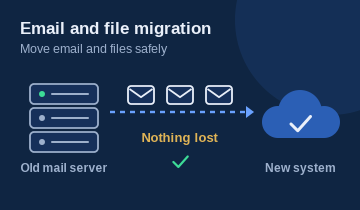
What we do for you
- Email moved from Gmail or old Exchange servers, with no lost mail.
- Files moved from file servers to shared team storage.
- Users set up with sign-in protection.
- Everything secured and documented when we finish.
Why it helps
A plan before we start
You know what moves, when, and what changes for your team.
Nothing lost
We check that mail and files arrived.
A fixed price
Migrations are quoted at a fixed price after your free health check.
Choosing the right migration method
There is no single way to move email and files. The right method depends on how many mailboxes you have, how big they are, and how quickly you can switch. We choose between a single cutover over one weekend, a staged move in groups, or a gradual move where old and new run side by side for a while.
What we ask you to prepare
- A list of the people and shared mailboxes that must move.
- Access to your domain settings, or the name of the person who manages them.
- The current email system and, if you know it, the size of the biggest mailboxes.
- A short list of shared folders that matter most.
- A date range when a short change is acceptable.
What we do and check
We copy mail, calendars and contacts to Microsoft Exchange Online, and documents to SharePoint and OneDrive. We test with a few users, then move the rest. After the switch we confirm that sending, receiving, phones and shared folders work for everyone. The old system stays available until you are happy, and we help you retire it later.
Common questions people have before moving
People worry about old email, about calendar invitations, and about the first Monday morning. We run the plan so the first morning is quiet: each person receives simple instructions in advance, and an engineer is available that day. For a complete walkthrough, use our Gmail to Microsoft 365 checklist and read the service page on email and file migration.
How we work
Check
A free review of your setup, risks and costs.
Agree
We sign the service covenant: scope, response times, price.
Onboard
We migrate, secure and document everything.
Run
Tickets, monitoring and a monthly report keep it healthy.
How we charge
Your price depends on how many people use IT at your company: a fixed monthly price in Egyptian pounds, with no surprise bills. If you only need occasional help, you can pay per ticket. Migrations and projects are quoted at a fixed price after your free cloud health check.
See the price calculatorQuestions
How long does it take?
It depends on how much you have. We give you a plan and a date after the free health check.
Will our team lose access during the move?
We plan the move to keep disruption small, and tell your team what to expect.
What does it cost?
Migrations and projects are quoted at a fixed price after your free cloud health check.
Book your free cloud health check
We review your setup and send a short report with a clear plan and price. No obligation.
Request my health checkMessage us on WhatsApp